How Long Will New Brake Pads Last on Bad Rotors: Detailed Guide
New brake pads can last a normal service interval only if the rotors are still usable and properly matched to them. On badly scored, warped, corroded, or excessively thin rotors, pad life may be shortened dramatically, and the pads can become noisy, uneven, or unsafe long before their expected mileage.
If you are asking how long will new brake pads last on bad rotors, the most accurate answer is that there is no dependable mileage estimate. Rotor condition, driving habits, brake temperature, and the severity of the damage determine whether the pads last for months, several thousand miles, or fail prematurely.
How long will new brake pads last
New brake pads installed on damaged rotors may wear unevenly from the beginning. A mildly rough rotor may allow the pads to continue working for a while, but a severely damaged rotor can reduce pad life substantially. In the worst cases, the pads never bed in correctly and develop hot spots, glazing, taper wear, or cracking.
For that reason, a mechanic should inspect the rotors whenever pads are replaced. If a rotor is below its minimum thickness, deeply grooved, badly rusted, heat-damaged, cracked, or unable to run true, replacing the pads alone is not a complete repair.
A vehicle with acceptable rotors can often get many tens of thousands of miles from quality brake pads, but that general range does not apply reliably when the rotors are bad. The new pads may still stop the vehicle initially, yet their usable life and braking consistency are compromised.
What makes a rotor “bad”?
“Bad rotors” can describe several different conditions. Some problems are cosmetic or minor, while others require immediate replacement. The important issue is whether the rotor provides a flat, stable, properly thick surface for the brake pad.
Deep grooves and scoring
Deep grooves act like ridges across the rotor face. Instead of making full, even contact, the new pad may touch only the high spots. This reduces friction area, creates uneven wear, and can produce squealing or grinding sounds.
Light surface marks are not always a reason to replace a rotor. Deep grooves that can be felt with a fingernail, however, deserve professional measurement and inspection.
Excessive thickness variation
Rotors do not always become “warped” in the literal sense. A common problem is disc thickness variation, meaning the rotor is thicker in some places than others. As the uneven rotor passes between the pads, the brake pedal or steering wheel may pulse.
New pads cannot correct thickness variation. They conform to the uneven surface and may develop matching high and low wear areas.
Runout
Rotor runout means the disc does not rotate in a sufficiently true plane. Excessive runout can push the brake pads and caliper piston back and forth as the wheel turns. This may cause pedal pulsation, uneven pad contact, noise, and accelerated wear.
Runout can result from a damaged rotor, a poor hub-to-rotor mounting surface, improper wheel installation, or other mechanical issues. Replacing the rotor without finding the cause may not solve the problem.
Heat damage
A rotor that has experienced excessive heat may show blue or dark patches, surface cracking, or hard spots. These areas can create inconsistent friction and cause the new pads to wear unevenly or become glazed.
Heat damage is especially concerning when the vehicle has a history of dragging brakes, repeated heavy braking, or driving with an overloaded vehicle. The rotor and related brake components should be checked together.
Rust and corrosion
Some surface rust disappears after normal braking, particularly on a vehicle that has been parked in damp weather. Heavy rust, flaking, pitting, or corrosion around the braking surface is different. It can prevent even pad contact and remove friction material from the pad.
Rust also commonly forms on the inside face of a rear rotor, where it may be difficult to see without removing the wheel. Both sides of a rotor should be inspected.
Insufficient thickness
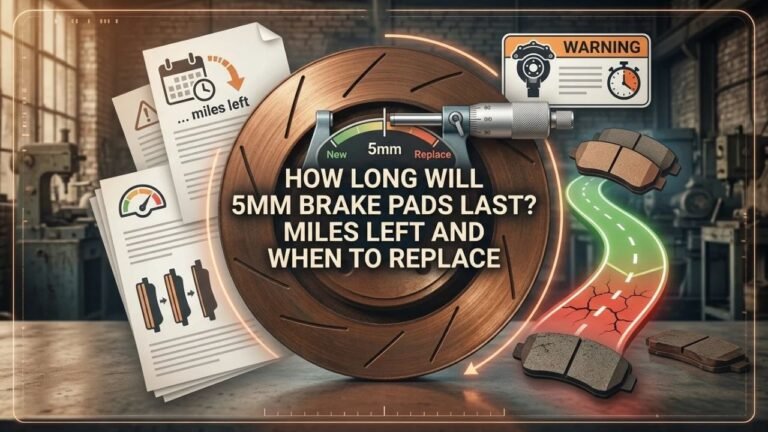
Every rotor has a manufacturer-specified minimum thickness, often marked on the rotor or listed in service information. A rotor may look smooth but still be too thin to safely reuse. Machining an already thin rotor can make the condition worse.
Rotor thickness must be measured with the correct tool, not judged by appearance alone. If the measurement is at or below the specified limit, replacement is required.
Why bad rotors shorten pad life
Brake pads are designed to press against a relatively flat rotor surface. A damaged rotor changes how pressure and heat are distributed across the pad. That creates several forms of premature wear.
- Uneven contact: Only portions of the pad may press firmly against the rotor, leaving other areas underused or overloaded.
- Excessive heat: High spots can generate more heat and cause the friction material to harden or glaze.
- Mechanical abrasion: Grooves and rust can scrape or chip the pad surface.
- Vibration: Runout or thickness variation can create repeated movement that disturbs normal pad contact.
- Noise: A rough mating surface can cause squealing, scraping, or clicking as the pad moves in the caliper.
New pads also require a proper bedding-in process. Bedding gradually creates a consistent transfer layer of friction material on the rotor. A severely damaged rotor prevents that layer from forming evenly, so braking may remain inconsistent even after the pads appear installed correctly.
Symptoms of new pads on bad rotors
Symptoms can appear immediately or develop after a short period of driving. They should not be dismissed as normal simply because the pads are new.
- Brake pedal pulsation during moderate or hard braking
- Steering wheel shaking when braking, especially at higher speeds
- Grinding, scraping, squealing, or repeated clicking noises
- The vehicle pulling to one side during braking
- A burning smell or unusually hot wheel
- New pads wearing at different rates on the same axle
- Visible grooves, dark patches, cracks, or heavy rust on the rotor
- Reduced braking confidence or a pedal that feels inconsistent
A small amount of noise can occur while new pads settle, but persistent grinding, severe vibration, or a burning odor indicates a problem that needs inspection. A hot wheel may also point to a seized caliper, restricted brake hose, or parking-brake issue rather than a rotor problem alone.
Should you replace the rotors with the pads?
Usually, the safest repair is to replace rotors and pads together when the rotors are clearly damaged or outside specification. The new friction material then has a clean, correctly sized surface on which to bed.
Rotor replacement is generally appropriate when the rotor has:
- Deep grooves or severe pitting
- Cracks or significant heat checking
- Excessive runout or thickness variation
- Blue discoloration associated with overheating
- Thickness at or below the minimum specification
- Heavy corrosion that affects pad contact
Some rotors can be resurfaced if enough material remains and the manufacturer permits machining. Resurfacing must leave both friction faces smooth, parallel, and above the minimum thickness. If those conditions cannot be met, replacement is the proper option.
Brake work should normally be performed on both sides of the same axle. Installing a new rotor on only one side can create different friction characteristics from left to right. A technician should also check the caliper, slide pins, pad hardware, wheel bearing condition, and the hub mounting surface.
How to protect new brake pads
If an inspection shows that the rotors are serviceable, several practices help the pads reach their expected life.
- Install pads correctly. Use the correct pad shape, friction grade, hardware, and lubrication points. Friction surfaces should remain clean and dry.
- Check caliper movement. Sticking slide pins or a seized piston can keep the pad against the rotor and cause constant wear.
- Clean the hub and rotor. Rust or debris between the hub and rotor can create runout after installation.
- Torque the wheel properly. Uneven or excessive lug-nut torque can contribute to rotor distortion or mounting problems.
- Follow the bedding procedure. Use the pad manufacturer’s instructions and avoid repeated hard stops immediately after installation unless necessary for safety.
- Recheck unusual symptoms. Noise, vibration, pulling, smoke, or a hot wheel should be diagnosed rather than driven through.
Normal driving conditions also matter. Frequent stop-and-go traffic, steep hills, towing, heavy loads, aggressive braking, and repeated high-speed stops generate more heat and wear than steady highway driving. These conditions can shorten pad life even when the rotors are in good condition.
Can you drive with new pads and bad rotors?
Driving a short distance to a repair facility may be reasonable if the brakes work normally and the problem is limited to minor surface wear. However, bad rotors should not be treated as a condition that can be safely ignored until the pads wear out.
Do not continue normal driving if the brake pedal reaches unusually low, the vehicle pulls sharply, the brakes grind loudly, a wheel becomes extremely hot, braking power drops, or the vehicle vibrates severely. These symptoms can indicate a safety-critical fault beyond ordinary rotor wear.
Bad rotors may also make braking distances less predictable. Even if the pads are new, the vehicle may not stop smoothly or consistently during an emergency. A professional inspection is the correct next step when rotor damage is suspected.
FAQ
Can new brake pads damage bad rotors?
New pads usually do not cause the original rotor damage, but they can expose or worsen existing problems through heat and uneven contact. A rough, thin, cracked, or severely corroded rotor can damage the new pads and prevent proper bedding.
Will new brake pads stop squeaking if the rotors are
Not necessarily. Squeaking can continue when the rotor is grooved, glazed, rusted, or uneven. The noise may also come from missing or incorrectly installed hardware, a sticking caliper, contamination, or pad material. Replacing pads alone does not guarantee a quiet brake system.
How many miles can you drive on new pads
There is no safe universal mileage estimate. The pads might continue working for a limited time, or they could wear rapidly depending on rotor damage and brake-system condition. Rotor measurements and a physical inspection are more useful than a mileage prediction.
Do bad rotors wear brake pads unevenly?
Yes. Grooves, thickness variation, runout, rust, and caliper problems can cause inner and outer pads—or left and right pads—to wear at different rates. Uneven wear is a reason to inspect the entire brake assembly, not just replace the thinnest pad.
Is resurfacing enough for new pads?
Resurfacing may be enough when the rotor has adequate thickness and the damage can be removed while meeting the manufacturer’s specifications. It is not appropriate for a cracked, severely corroded, heat-damaged, or already-too-thin rotor.
Conclusion
There is no reliable answer to how long will new brake pads last on bad rotors because damaged rotors can cause rapid, uneven wear and unpredictable braking. Have the rotors measured and inspected whenever pads are replaced; if they are below specification, deeply scored, cracked, badly corroded, or heat-damaged, replace them with the pads and verify that the caliper and mounting surfaces are operating correctly.