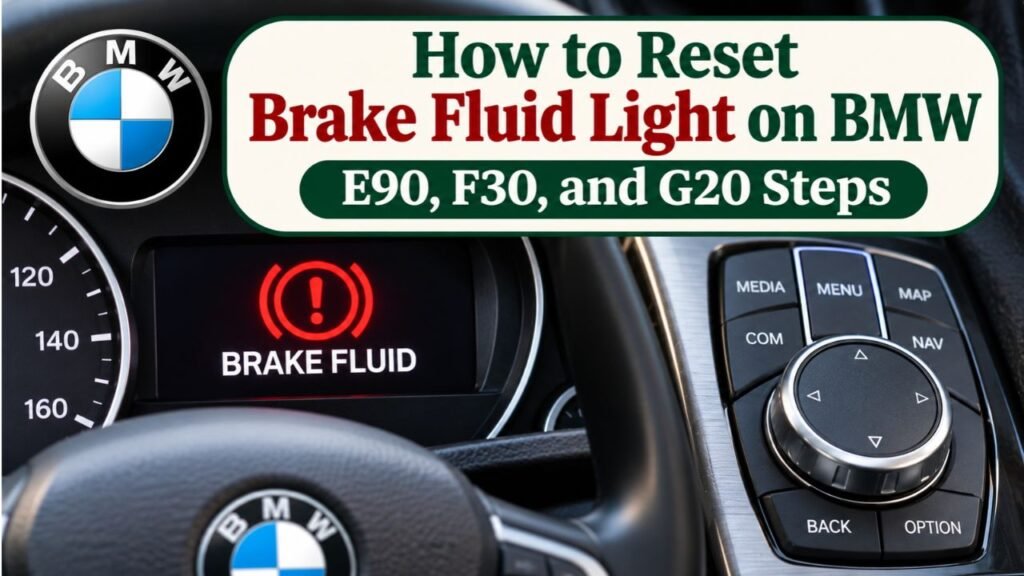
How to Reset Brake Fluid Light on BMW: E90, F30, and G20 Steps
You can reset a BMW brake-fluid service reminder through the car’s Condition Based Service (CBS) menu after the brake fluid has been replaced. On many E- and F-generation BMWs, switch the ignition on without starting the engine, hold the trip-odometer reset button, select Brake Fluid, and confirm the reset. On many newer G-series cars, enter diagnostic mode and use the BC button on the turn-signal stalk instead.
The exact sequence depends on the BMW’s model, production year, and instrument cluster. More importantly, a scheduled brake-fluid reminder is not the same as a red brake warning, low-fluid alert, ABS fault, or brake-pad wear indicator. Those warnings may signal real problems and should not be hidden by resetting a maintenance counter.
BMW’s brake-fluid reminder typically tracks a service date rather than the measured fluid level. Resetting it changes the displayed due date; it does not change old fluid or repair a hydraulic fault.
In this guide, I explain how to identify the correct warning, reset the CBS brake-fluid item on E90, F30, and G20-era BMWs, verify the new due date in iDrive, and troubleshoot failed resets. I also cover scanner-based resets, service records, and situations that require a technician.
How to Reset Brake Fluid Light on BMW: Quick Steps
On many BMW models, the brake-fluid maintenance reminder can be reset without a diagnostic scanner.
The process involves accessing the instrument cluster’s service menu and resetting the specific brake-fluid maintenance item.
However, reset the reminder only after the required brake-fluid replacement has been completed.
Basic BMW Brake Fluid Light Reset Procedure
For many BMWs with a trip-odometer reset button:
- Park the BMW safely and switch off the engine.
- Keep the key fob inside the vehicle.
- Close the doors.
- Press the Start/Stop button without pressing the brake or clutch pedal to switch on the required ignition mode.
- Wait for the instrument cluster to finish displaying its initial messages.
- Press and hold the trip-odometer reset button until the service menu appears.
- Use short button presses to find Brake Fluid.
- Press and hold the appropriate reset button until a confirmation prompt appears.
- Release the button, then press and hold again to confirm where required.
- Wait for the reset confirmation.
- Switch the ignition off and check the new service due date.
This is a general procedure.
Some older BMWs use the turn-signal stalk to navigate the menu, while newer models may use the BC button or steering-wheel controls.
According to BMW of Bellevue’s brake-fluid service and reset guide, many BMW brake-fluid reminders can be reset from the vehicle’s service menu after the required maintenance.
If the described controls do not match your BMW, use the procedure for its specific generation rather than repeatedly pressing unrelated buttons.
BMW Brake Fluid Reset by Generation
| BMW Generation | Common Models | Reset Controls |
| Older E-series | E46 and other pre-CBS models | Model-specific service indicator procedure |
| E90 generation | 3 Series E90/E91/E92/E93 | Cluster reset button and stalk BC controls |
| F30 generation | 3 Series F30/F31/F34 | Trip-odometer reset button |
| F10/F25 and similar F-series | 5 Series, X3, and related models | Cluster reset button, with variations |
| G20 generation | 3 Series G20/G21 | Diagnostic mode and BC button |
| Other G-series | G30, G05, and related models | BC button or cluster controls, depending on equipment |
| Newer digital BMW models | Recent iDrive and digital-cluster vehicles | Model-specific controls or BMW diagnostic equipment |
The table shows common approaches rather than a universal procedure for every model year.
What Does the BMW Brake Fluid Warning Light Mean?
Before resetting anything, identify exactly which warning is displayed.
BMW vehicles may show several different brake-related notifications.
These warnings do not all mean the same thing.
Brake Fluid Service Reminder
A scheduled brake-fluid reminder indicates that the vehicle’s maintenance system considers brake-fluid replacement due or approaching.
It may display:
- Brake Fluid
- Brake Fluid Service
- Brake Fluid Change
- Service Due
- A brake-fluid reservoir symbol
- A service date
- A maintenance notification in iDrive
This is commonly part of BMW’s Condition Based Service system.
The reminder may be reset after the fluid service is completed.
Red Brake Warning Light
A red brake warning can indicate a more serious problem.
Depending on the vehicle, possible causes include:
- Parking brake engaged
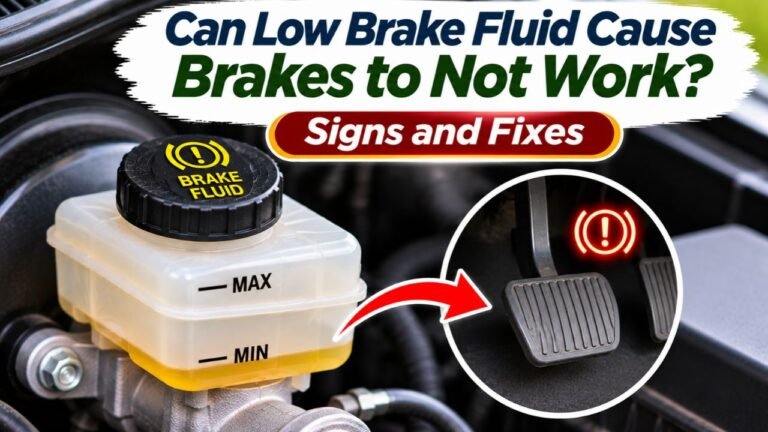
- Low brake fluid
- Hydraulic brake system fault
- Other brake-system problems
Do not attempt to clear a red brake-system fault by resetting the brake-fluid service interval.
If the warning remains illuminated after releasing the parking brake, or the brake pedal feels abnormal, follow the owner’s manual and have the vehicle inspected.
Brake Pad Wear Reminder
BMW vehicles commonly monitor brake pad replacement intervals.
A brake-pad service reminder is different from the brake-fluid service reminder.
The pad warning may identify:
- Front brake pads
- Rear brake pads
- Brake pad replacement due
Some BMWs use physical brake-pad wear sensors.
Resetting the brake-fluid interval does not replace worn pads or repair a damaged sensor.
ABS or DSC Warning
ABS stands for Anti-lock Braking System.
DSC stands for Dynamic Stability Control.
A warning involving either system may indicate an electronic or hydraulic braking-system problem.
A regular CBS brake-fluid reset will not necessarily clear these faults.
Diagnostic inspection may be required.
BMW Brake Warning Comparison
| Warning | Meaning | Can a CBS Brake Fluid Reset Fix It? |
| Brake fluid service due | Scheduled fluid replacement reminder | Yes, after service |
| Brake fluid overdue | Scheduled service deadline passed | Yes, after service |
| Low brake fluid | Reservoir level or hydraulic issue | No |
| Front brake pads due | Brake pad maintenance | No |
| Rear brake pads due | Brake pad maintenance | No |
| ABS warning | ABS system fault | No |
| DSC warning | Stability-control system fault | No |
| Red brake-system warning | Parking brake or possible brake fault | Not as a general repair |
Key Takeaway: A BMW brake-fluid service reminder can be reset after maintenance. A genuine hydraulic or electronic brake fault requires diagnosis, not a maintenance-counter reset.
How to Reset Brake Fluid Light on BMW E90
The E90-generation BMW 3 Series uses a service menu accessible through the instrument cluster.
This generation includes:
- E90 sedan
- E91 wagon
- E92 coupe
- E93 convertible
Many models use a trip-reset button and controls on the turn-signal stalk.
BMW E90 Brake Fluid Reset Steps
Step 1: Turn the ignition on.
Sit in the driver’s seat with the key available.
Close the doors.
Switch on the ignition without starting the engine.
On push-button models, keep your foot off the brake and clutch while selecting the required ignition mode.
Step 2: Wait for startup messages.
Allow the initial instrument-cluster messages to finish appearing.
The clock or normal information display should become visible.
Step 3: Hold the trip-reset button.
Locate the small reset button on the instrument cluster.
Press and hold it.
After several seconds, a warning triangle or service-related display may appear.
Continue until the CBS service menu becomes visible.
Be careful not to hold the button excessively long.
Some versions may enter an instrument-cluster test menu instead.
Step 4: Find the brake-fluid service item.
Use the rocker or toggle control on the turn-signal stalk to move through the available service items.
Look for the brake-fluid symbol.
Do not accidentally select the front or rear brake-pad indicator.
Step 5: Select the reset option.
When Brake Fluid is displayed, use the BC button at the end of the stalk.
Press and hold it according to the displayed instructions.
A reset prompt should appear.
Step 6: Confirm the reset.
Release the BC button.
Press and hold it again to confirm the reset.
The instrument cluster may show a progress animation.
Step 7: Verify the new service interval.
After completion, check that the brake-fluid service date has advanced.
Turn the ignition off and on again if necessary.
Does This Work on Other Older BMWs?
Many BMW models using similar E-series CBS systems have comparable procedures.
However, button placement and menu navigation can differ.
For example, the BMW 1 Series E82 and X1 E84 may have similar reset controls.
FCP Euro’s BMW E90/E82/E84 CBS reset guide explains the instrument-cluster procedure and confirms that it can be used for service items including brake fluid.
Use the procedure that matches your vehicle’s controls.
How to Reset Brake Fluid Light on BMW F30
The BMW F30 generation uses a somewhat different reset method.
This generation commonly includes:
- F30 sedan
- F31 wagon
- F34 Gran Turismo
The procedure generally uses the trip-odometer reset button on the instrument cluster.
BMW F30 Brake Fluid Reset Steps
Step 1: Switch on the ignition.
Sit inside the car.
Do not press the brake or clutch pedal.
Press the Start/Stop button to activate the ignition without starting the engine.
Wait for the dashboard startup sequence to finish.
Step 2: Enter the service menu.
Locate the small trip-reset button on the left side of the instrument cluster.
Press and hold it for approximately 5–10 seconds, or until the service menu appears.
The exact time can vary.
Step 3: Select Brake Fluid.
Release the reset button.
Press it briefly to move through the service items.
Continue until the brake-fluid symbol or service item appears.
The display may show:
- Brake Fluid
- Reset Possible
- A brake-fluid icon and service date
Step 4: Request the reset.
Press and hold the trip-reset button again.
The display should change to a reset confirmation prompt.
Depending on the software version, it may display “Perform Reset?” or similar wording.
Step 5: Confirm the reset.
Release the button, then press and hold it again.
Wait for the process to finish.
The instrument cluster may display:
Reset Successful
Step 6: Verify the result.
Switch off the ignition.
Turn it back on and inspect the brake-fluid service information.
You can also check the date through iDrive.
What if the F30 Shows Reset Impossible?
The car may reject the reset under certain conditions.
Possible causes include:
- Incorrect ignition mode
- Service interval not eligible for reset
- Instrument-cluster or CBS issue
- Incorrect vehicle date
- An active warning interfering with the procedure
Do not repeatedly force the reset.
Verify the vehicle’s service status and use suitable diagnostic equipment if necessary.
How to Reset Brake Fluid Light on BMW G20
Many newer BMW 3 Series models use a different procedure.
The G20 and G21 generation includes vehicles produced from 2019 onward, although the controls and software vary by model year.
On many versions, the driver must enter diagnostic mode before accessing the CBS reset menu.
BMW G20 Brake Fluid Reset Steps
Step 1: Park and switch off the vehicle.
Make sure the vehicle is securely parked.
Keep the engine off.
Do not press the brake or clutch pedal while entering the required mode.
Step 2: Enter diagnostic mode.
Press the Start/Stop button three times quickly without pressing the brake pedal.
On supported models, this activates the appropriate diagnostic or ignition mode.
The instrument cluster may display a diagnostic-mode confirmation.
Step 3: Open the CBS service menu.
Locate the BC button on the turn-signal stalk.
Press and hold it for approximately 10–20 seconds until the service menu appears.
The exact holding time and button arrangement may vary.
Step 4: Find Brake Fluid.
Use brief presses of the BC button to move through the maintenance items.
Look for the brake-fluid service entry.
Do not select front or rear brake pads unless that specific maintenance was performed.
Step 5: Request the reset.
Press and hold the BC button while Brake Fluid is selected.
A message such as “Perform Reset?” may appear.
Step 6: Confirm the reset.
Release the button.
Press and hold it again according to the cluster instructions.
Wait until the reset finishes.
Step 7: Exit diagnostic mode.
Switch off the ignition.
Check the service date again before assuming the reset succeeded.
Important Difference on Some G20 Facelift Models
Some G20 and G21 facelift models use slightly different button timing.
A technician’s G20/G21 facelift service-reset guide from TCB Garage explains that the confirmation prompt may appear only after releasing the BC button.
On those vehicles, holding the button continuously without releasing it may appear to do nothing.
The useful sequence is:
- Hold the BC button while the brake-fluid service item is selected.
- Release the button.
- Wait for the reset confirmation prompt.
- Hold the BC button again.
- Release it and wait for the result.
The exact procedure still depends on the specific cluster software.
If the vehicle uses a different control arrangement, follow the model-specific owner’s or service manual.
How to Reset BMW X3 Brake Fluid Service Light
BMW X3 models use different procedures depending on generation.
For example:
- E83 X3
- F25 X3
- G01 X3
- Newer X3 generations
These vehicles do not all have identical service menus.
BMW X3 F25 Reset Procedure
On many F25-generation X3 vehicles:
- Switch on the ignition without starting the engine.
- Wait for the initial service messages.
- Hold the trip-odometer reset button until the service menu appears.
- Use short presses to find Brake Fluid.
- Hold the reset button until the confirmation prompt appears.
- Confirm the reset.
- Wait for the success message.
- Verify the updated due date.
This resembles the procedure used on several F-generation BMW models.
BMW X3 G01 Reset Procedure
Some G01 models use similar controls but may require a different ignition or diagnostic mode.
Depending on the cluster, you may use:
- Trip-reset button
- BC button
- Model-specific diagnostic procedure
Do not assume the G20 procedure will work on every G01.
If the reset menu is unavailable, consult the vehicle-specific service instructions.
When Should an X3 Owner Use a Scanner?
A BMW-capable diagnostic tool may be useful when:
- The service menu does not appear.
- The cluster shows Reset Impossible.
- The service record contains incorrect information.
- A previous reset failed.
- The vehicle has an active brake-related fault.
The scanner must specifically support the vehicle’s BMW CBS service functions.
How to Reset BMW 5 Series Brake Fluid Reminder
BMW 5 Series vehicles span several generations.
A reset method that works on an older E60 may not apply to a newer G30.
BMW E60 and E61
These older vehicles use BMW’s Condition Based Service system.
The reset process commonly involves:
- Switching the ignition on without starting the engine.
- Entering the cluster service menu.
- Navigating to Brake Fluid.
- Selecting the reset prompt.
- Confirming the new service interval.
The exact controls and button sequence depend on the vehicle.
BMW F10 and F11
Many F10-generation vehicles use a trip-reset-button procedure similar to the F30.
After brake-fluid service, the technician selects the brake-fluid CBS item and confirms the reset.
BMW G30
G30 vehicles may use diagnostic mode and either a trip-reset or BC button, depending on instrument-cluster equipment.
The sequence is similar in principle to other G-generation cars, but the actual controls can differ.
A BMW-capable scanner is an alternative when the instrument-cluster method is not available.
Can You Reset BMW Brake Fluid Light Through iDrive?
You can use iDrive to check the brake-fluid service status, but not every BMW allows the CBS brake-fluid reminder to be reset directly through the normal iDrive screen.
This distinction matters.
On many vehicles, iDrive displays the service requirement while the reset must be performed through the instrument cluster or diagnostic equipment.
How to Check Brake Fluid Service in iDrive
Depending on the BMW model and iDrive version, the menu may follow a path such as:
Vehicle Info → Vehicle Status → Service Required → Brake Fluid
On other models:
CAR → Vehicle Status → Service Schedule → Brake Fluid
Or:
Vehicle Apps → Vehicle Status → Service Requirements
The exact wording varies by software generation.
What Information Does iDrive Display?
The brake-fluid entry may show:
- Next replacement date
- Service due status
- Service approaching
- Service overdue
- A corresponding maintenance symbol
After resetting the CBS item, check whether the service information now shows the expected next due date.
Does iDrive Have a Reset Button?
Some vehicle systems or service interfaces provide reset options.
However, a normal iDrive service-status screen may be view-only.
Do not assume that selecting the brake-fluid item will reveal a reset command.
If no reset option is available, use the correct instrument-cluster procedure or BMW-compatible diagnostic equipment.
Can iDrive Show a Successful Reset?
Yes.
After a successful CBS reset, the service-status information should reflect the updated maintenance interval.
However, a new date alone does not prove that the hydraulic system was serviced correctly.
The actual brake-fluid replacement remains a separate maintenance operation.
How to Reset BMW Brake Fluid Light With an OBD2 Scanner
A BMW-compatible diagnostic scanner can reset supported Condition Based Service items.
This can be useful when the instrument-cluster method fails or when the vehicle’s reset interface differs from common procedures.
However, not every generic OBD2 code reader supports BMW CBS maintenance functions.
What Type of Scanner Do You Need?
Choose diagnostic equipment that explicitly supports:
- Your BMW model
- Your vehicle’s production year
- Condition Based Service functions
- Brake fluid service reset
Some professional and aftermarket tools offer a BMW service-maintenance menu.
BMW’s ISTA diagnostic system also supports relevant service operations.
General Scanner Reset Procedure
After the brake-fluid service is complete:
- Park the vehicle securely.
- Connect the compatible diagnostic device to the vehicle’s diagnostic port.
- Switch on the ignition as required by the equipment.
- Select BMW as the vehicle manufacturer.
- Identify the correct model and vehicle system.
- Open Service Functions or Maintenance.
- Select Condition Based Service or CBS Reset.
- Choose Brake Fluid.
- Read the displayed information.
- Confirm the reset if the vehicle is eligible.
- Verify the new service due date.
The scanner’s menu names vary by software and manufacturer.
Do not use a generic clear-all-fault-codes command as a substitute for a proper brake-fluid service reset.
Does Resetting CBS Clear Fault Codes?
No, not necessarily.
CBS maintenance counters and diagnostic trouble codes are different types of information.
Resetting the brake-fluid service date does not repair an ABS sensor, brake hydraulic fault, or related malfunction.
A genuine fault may continue to trigger a warning.
Can a Cheap OBD2 Scanner Reset BMW Brake Fluid Service?
Some low-cost scanners offer BMW-specific service functions.
Others only read basic powertrain diagnostic codes.
Before purchasing or using a scanner, confirm support for the exact vehicle and CBS brake-fluid item.
Why Won’t My BMW Brake Fluid Light Reset?
Sometimes the instrument cluster displays a reset error or refuses to show the maintenance menu.
This does not always mean the car has a major electrical fault.
Several conditions can interfere with the reset process.
1. Incorrect Ignition Mode
Many BMWs require the ignition to be active while the engine remains off.
If the vehicle is only in an accessory state or the engine is running, the service menu may not respond.
Use the correct ignition procedure for the model.
2. Pressing the Wrong Button
BMW has used different reset controls across generations.
For example:
- E90 may use the trip-reset button and turn-signal stalk.
- F30 commonly uses the trip-reset button.
- G20 may use the BC button in diagnostic mode.
Using the wrong button may open a different screen.
3. The Reset Button Was Held Too Long
Some older instrument clusters have separate test menus.
If you hold a button too long, the cluster may enter a diagnostic display instead of the service menu.
Exit and retry using the correct sequence.
4. The Brake Fluid Service Is Not Eligible for Reset
Some BMW CBS systems prevent resetting a service item until certain conditions are met.
For example, the service interval may not have reached the allowable reset point.
Do not attempt to bypass the restriction simply to change the due date.
If the service was genuinely completed early, a BMW technician may need to update the maintenance information using approved diagnostic equipment.
5. An Active Check Control Message Is Present
Certain warnings or active system conditions may prevent access to a CBS reset.
Check the instrument cluster for active messages.
Do not erase genuine safety warnings to force a reset.
6. Parking Brake or Auto Hold Conditions
On some BMW models, particular parking-brake, Auto Hold, or pedal conditions can interfere with the reset procedure.
Follow the vehicle-specific service instructions.
Do not release the parking brake merely to access a menu unless the vehicle is safely secured and the procedure requires it.
7. Incorrect Date or Time
The brake-fluid reminder is commonly date-based.
If the vehicle’s date or maintenance information is incorrect, the displayed due date may be wrong.
Check the vehicle’s clock and date settings.
Some historical service-counter errors may require professional diagnostic correction.
8. Low 12V Battery Voltage
An unstable vehicle electrical supply can sometimes interfere with electronic procedures.
If the 12V battery is weak, address the electrical problem rather than repeatedly attempting the reset.
9. Incompatible Diagnostic Scanner
A generic scanner may not communicate with the BMW module responsible for CBS maintenance.
Use equipment with confirmed BMW-specific capabilities.
BMW Brake Fluid Reset Troubleshooting Table
| Problem | Possible Cause | Recommended Solution |
| Service menu does not appear | Wrong ignition mode or button | Verify model-specific entry procedure |
| Reset option missing | Wrong menu or unsupported interface | Check cluster method or compatible scanner |
| Reset Impossible | CBS eligibility or system condition | Diagnose before retrying |
| Reset failed | Incorrect confirmation or electrical issue | Verify conditions and retry correctly |
| Old due date remains | Reset did not complete | Check CBS status with compatible tool |
| Red brake warning stays on | Actual system warning | Diagnose braking system |
| ABS warning remains | Separate ABS fault | Read appropriate diagnostic information |
| Brake-pad warning remains | Wrong service item or pad-related issue | Inspect pads and wear sensor |
| Date appears incorrect | Clock or service data problem | Correct settings or seek professional service |
What Does Reset Possible Mean on BMW?
On BMW models that support an instrument-cluster CBS reset, the display may show Reset Possible when the selected maintenance item is eligible for resetting.
This does not prove that the service has been performed.
It only indicates that the system permits the relevant maintenance counter to be reset under the current conditions.
What Does Reset Impossible Mean?
Reset Impossible means the vehicle is not allowing the selected CBS reset.
Possible causes depend on the model.
They may include:
- Service interval not eligible
- An active system condition
- Incorrect entry procedure
- Maintenance data issue
- Other electronic restrictions
The proper solution is to identify why the reset is unavailable.
What Does Reset Successful Mean?
Reset Successful indicates that the selected maintenance counter was updated.
The next service date should be checked.
However, the message is not proof of proper brake-fluid replacement.
The vehicle is confirming an electronic maintenance update, not necessarily the physical condition of the brake fluid.
How Often Does BMW Require Brake Fluid Replacement?
Many BMW models use a brake-fluid maintenance interval of approximately two years.
However, the exact schedule can vary by model, production year, country, and maintenance program.
Some BMW service schedules use a longer initial interval followed by shorter subsequent intervals.
The best reference is the maintenance information specified for your vehicle.
Why Brake Fluid Has a Time-Based Service Reminder
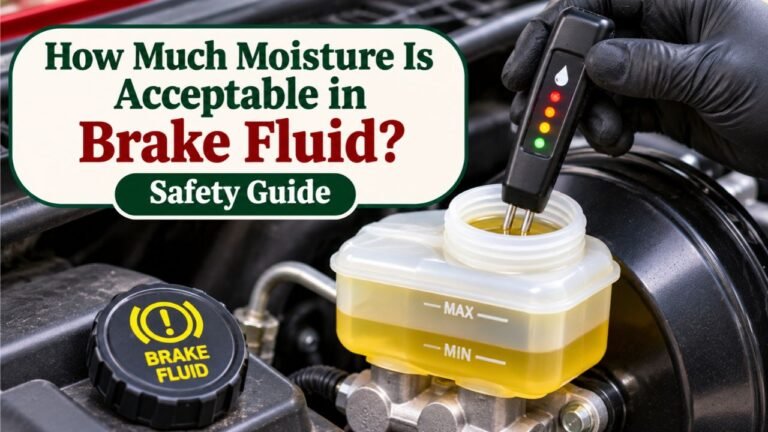
Conventional glycol-based brake fluid absorbs moisture over time.
Excess moisture can reduce the fluid’s boiling point.
Under demanding braking conditions, this can affect hydraulic performance.
Moisture can also contribute to corrosion within hydraulic components.
Because these effects can develop even when the vehicle is driven relatively little, brake-fluid replacement is often scheduled according to time rather than mileage alone.
Does BMW Measure Brake Fluid Quality Automatically?
Do not assume that a BMW’s CBS brake-fluid due date represents a laboratory-style measurement of water content or boiling point.
On many BMW models, the brake-fluid service interval is primarily calendar-based.
The system reminds the owner that replacement is due according to the programmed maintenance schedule.
Therefore, resetting the counter without changing the fluid does not make the fluid suitable for another service interval.
Can You Reset the Light Without Changing the Fluid?
The electronic procedure may allow it, but doing so is not a substitute for maintenance.
Resetting without service can create a misleading maintenance record and delay a needed fluid change.
The correct sequence is:
Replace the brake fluid → Verify the braking system → Reset the CBS reminder → Confirm the new due date.
Is BMW Brake Fluid Light the Same as Low Brake Fluid Warning?
No.
This is one of the most important distinctions when diagnosing a BMW dashboard message.
Scheduled Brake Fluid Reminder
A scheduled reminder usually identifies a service date.
It means the car’s maintenance system considers fluid replacement due.
After the fluid is replaced correctly, the reminder can be reset.
Low Brake Fluid Warning
A low-fluid warning indicates a possible hydraulic safety concern.
Low reservoir level may result from:
- Brake pad wear
- A hydraulic fluid leak
- Other braking-system problems
If the brake fluid is below the specified minimum level, the cause requires inspection.
Do not treat it as a routine service-date reminder.
What if the Pedal Feels Spongy?
A spongy or sinking brake pedal may indicate trapped air, a hydraulic leak, or another serious fault.
Resetting the CBS reminder will not restore hydraulic pressure.
If pedal feel is abnormal or braking performance has decreased, do not drive until the vehicle has been inspected and repaired.
Can the Brake Fluid Reminder Be Red?
Some BMW maintenance displays use color to indicate whether service is approaching or overdue.
Therefore, a red-colored maintenance status does not always mean the same thing as a red hydraulic brake-system fault.
Read the actual message and identify its meaning using the vehicle’s owner’s manual.
Do not rely only on the color or a vaguely similar symbol.
Does Adding Brake Fluid Reset the BMW Warning Light?
No.
Adding fluid does not reset the time-based CBS maintenance reminder.
The reminder tracks the programmed service interval.
It does not simply disappear when the reservoir reaches the maximum mark.
Is Topping Off the Same as Changing Brake Fluid?
No.
Topping off adds fluid to the reservoir.
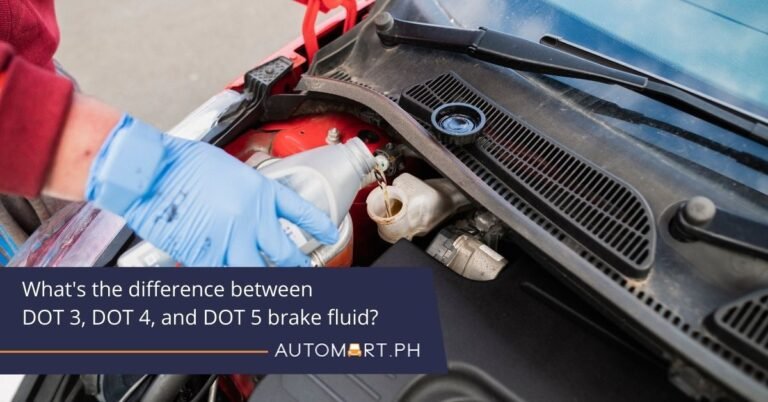
A brake-fluid replacement removes and replaces old hydraulic fluid according to the manufacturer’s service procedure.
Adding a small amount of fresh fluid does not remove moisture or contaminants throughout the hydraulic system.
Should You Add Brake Fluid to Clear a Warning?
Only add the manufacturer’s specified fluid when the procedure and system condition call for it.
If the level is unexpectedly low, investigate the cause before assuming a refill will solve the problem.
A leak or hydraulic fault may require repair.
Will Resetting the BMW Brake Fluid Light Erase Service History?
Usually, resetting the CBS maintenance counter is not the same as writing a completed service record into BMW’s digital service history.
The two functions serve different purposes.
CBS Reset
A CBS reset updates the maintenance countdown or due date for a selected service item.
For brake fluid, that typically means restarting the relevant service interval.
Digital Service History
Digital service history records maintenance work performed on the vehicle.
A service record may include:
- Service date
- Mileage
- Maintenance operations
- Service provider
- Other relevant service information
The exact system depends on the vehicle and market.
A simple instrument-cluster reset should not be assumed to create a complete digital service-history entry.
Should You Keep Brake Fluid Service Records?
Yes.
Keep the receipt or a maintenance record showing:
- Date of replacement
- Vehicle mileage
- Fluid specification
- Service provider
- Any relevant repairs
This can help confirm when the brake fluid was actually serviced.
It can also be useful when selling the vehicle.
Can You Reset the Wrong BMW Service Item?
Yes, it is possible to select the wrong maintenance item in the CBS menu.
For example, someone intending to reset Brake Fluid might accidentally select Front Brakes or Engine Oil.
That can create inaccurate service information.
How to Avoid Resetting the Wrong Item
Before confirming:
- Read the selected service name.
- Check the displayed icon.
- Look at its current service date or remaining mileage.
- Confirm that the corresponding maintenance was completed.
- Reset only that specific item.
Do not reset all available items at once.
What if You Already Reset the Wrong Item?
Avoid repeatedly resetting other maintenance counters.
Record which item was reset and when the actual maintenance was performed.
A BMW service specialist may be able to correct maintenance data using compatible diagnostic equipment, depending on the vehicle.
Do not assume another reset will restore the original information.
When Should You Visit a BMW Service Center?
A manual service reset is reasonable only when the brake-fluid maintenance is complete and the vehicle has no unresolved braking-system problem.
Professional assistance is appropriate when:
- The instrument cluster refuses the reset.
- The vehicle displays a brake-system fault.
- Brake fluid is unexpectedly low.
- A hydraulic leak is suspected.
- The brake pedal feels spongy or sinks.
- ABS or DSC warnings remain active.
- The vehicle’s service dates are incorrect.
- A CBS reset was performed incorrectly.
- The car uses an unfamiliar newer digital service interface.
Can Any Mechanic Reset BMW Brake Fluid Service?
A qualified independent mechanic may be able to perform the reset using appropriate equipment.
The workshop does not necessarily need to be an authorized BMW dealer.
However, the technician must understand the vehicle’s braking system and have the required tools.
For unusual CBS data issues, manufacturer-compatible diagnostic equipment may be necessary.
Is a Scanner Always Required?
No.
Many BMWs allow certain CBS maintenance reminders to be reset directly through the instrument cluster.
A scanner becomes more useful when manual reset is unavailable or fails.
The correct choice depends on the model and the problem.
Common Mistakes When Resetting BMW Brake Fluid Light
Several mistakes can result in an unsuccessful reset or a misleading maintenance record.
1. Resetting Before Changing Brake Fluid
This removes the maintenance reminder without completing the required service.
It may delay future maintenance unnecessarily.
2. Confusing Brake Fluid With Brake Pads
These are separate CBS items.
Reset the correct one.
3. Using the Wrong Generation’s Instructions
An E90 procedure may not work on a G20.
Identify the model and instrument cluster before starting.
4. Starting the Engine
Many manual service reset procedures require the ignition on with the engine off.
Starting the engine can prevent entry into the intended menu.
5. Holding the Button for the Wrong Duration
Some BMWs use different holding times or require releasing the button before confirmation.
Follow the displayed prompt.
6. Attempting to Reset a Genuine Brake Fault
A scheduled maintenance reset does not repair a hydraulic, ABS, or DSC fault.
Investigate active warnings.
7. Ignoring Reset Impossible
This message indicates the vehicle is not permitting the operation.
Check the conditions rather than repeatedly attempting to force it.
8. Using a Generic Code Reader
Not all OBD2 scanners support BMW CBS functions.
Verify compatibility.
9. Forgetting to Verify the New Date
A reset attempt may appear to finish without updating the intended item.
Check the brake-fluid service entry afterward.
10. Assuming the Reset Records the Maintenance Work
A CBS reset and a digital service-history entry are different.
Keep accurate maintenance records.
BMW Brake Fluid Reset Checklist
Before attempting the procedure, verify the following:
| Check | Required Condition |
| Brake fluid service | Completed |
| Braking performance | Normal and verified after service |
| Hydraulic leaks | No unresolved leaks |
| Brake warning | No unaddressed safety-related fault |
| BMW model | Identified |
| Correct procedure | Matched to model and cluster |
| Engine | Off for the specified reset procedure |
| Ignition mode | Correct for the vehicle |
| CBS item | Brake Fluid selected |
| Reset confirmation | Completed successfully |
| New due date | Verified |
| Maintenance records | Updated separately if needed |
If any safety-related condition is unresolved, complete the necessary inspection or repair before returning the vehicle to normal use.
Conclusion
Learning how to reset brake fluid light on BMW starts with identifying the type of warning and the vehicle’s generation.
For many E90-generation BMWs, the reset uses the instrument-cluster button and turn-signal stalk.
For many F30-generation vehicles, the trip-odometer reset button provides access to the CBS menu.
On newer G20-generation BMWs, the procedure often involves entering diagnostic mode and using the BC button.
However, the exact sequence varies with the model, production year, and instrument-cluster software.
I recommend completing the brake-fluid replacement first, resetting only the Brake Fluid maintenance item, and verifying the new due date in the vehicle’s service information.
If the reset fails, a BMW-compatible diagnostic tool may be needed.
More importantly, a red brake-system fault, low-fluid warning, ABS problem, or abnormal pedal feel must not be treated as an ordinary maintenance reminder.
Resetting a service counter updates the vehicle’s maintenance information. It does not repair a braking-system fault or replace the hydraulic fluid.
FAQs About How to Reset Brake Fluid Light on BMW
How Do You Reset the BMW Brake Fluid Service Light?
After replacing the brake fluid, switch on the required ignition mode without starting the engine.
On many models, hold the trip-reset button to enter the CBS service menu, find Brake Fluid, and confirm the reset.
Newer BMWs may use diagnostic mode and the BC button instead.
Follow the procedure for the specific vehicle.
Can I Reset BMW Brake Fluid Light Without a Scanner?
Yes.
Many BMW E-series and F-series models allow the brake-fluid service reminder to be reset using instrument-cluster controls.
Some G-series models also support an in-vehicle reset.
A compatible scanner may be needed when the manual procedure is unavailable or unsuccessful.
How Do I Reset Brake Fluid Light on BMW F30?
Turn on the ignition without starting the engine.
Hold the trip-odometer reset button until the service menu appears.
Use short presses to find Brake Fluid.
Hold the button to request the reset, then confirm according to the display.
Check for Reset Successful and verify the new service date.
How Do I Reset Brake Fluid Light on BMW G20?
On many G20 models, press the Start/Stop button three times quickly without pressing the brake pedal to enter diagnostic mode.
Hold the BC button until the service menu appears.
Select Brake Fluid, request the reset, and confirm.
The exact timing and controls may vary, particularly on facelift models.
Why Does My BMW Say Brake Fluid Reset Impossible?
The system may be preventing the reset because of an eligibility restriction, incorrect ignition mode, active vehicle condition, or maintenance data problem.
Verify that the brake-fluid service was completed and that the correct procedure is being used.
A BMW-compatible diagnostic tool may be necessary.
Does BMW Brake Fluid Light Reset Automatically After a Fluid Change?
Not necessarily.
A fluid replacement does not always automatically update the CBS service countdown.
The technician commonly needs to perform the corresponding maintenance reset.
Check the due date afterward.
Can I Reset BMW Brake Fluid Light Through iDrive?
Many BMWs use iDrive to display brake-fluid service information.
However, not every model offers a reset command in the normal iDrive menu.
The reset may need to be performed through the instrument cluster or a diagnostic tool.
Will Disconnecting the BMW Battery Reset the Brake Fluid Light?
Do not rely on battery disconnection as a service-reset method.
BMW stores maintenance information electronically, and disconnecting the battery is not a substitute for a CBS reset.
It may also interfere with vehicle settings and time-based maintenance calculations.
Use the approved procedure instead.
Can I Drive With the BMW Brake Fluid Service Light On?
A routine brake-fluid service reminder means maintenance is due or overdue; it does not necessarily indicate immediate hydraulic failure.
However, arrange the required service rather than resetting it without changing the fluid.
If the warning indicates low fluid, a hydraulic problem, or reduced braking performance, do not continue driving until the vehicle has been assessed.
Is BMW Brake Fluid Service Every Two Years?
Many BMW models use an approximately two-year brake-fluid replacement interval, but the exact schedule varies.
Some vehicles have different initial or market-specific maintenance requirements.
Follow the service information for your particular model and year rather than assuming one interval applies to every BMW.