How to Change Brake Pads and Rotors Safely: Step-by-Step Guide
Replacing disc brake pads and rotors involves securely lifting the vehicle, removing the wheel and caliper, retracting the piston, replacing the rotor and pads, then torquing the brake and wheel fasteners correctly. The basic process is straightforward, but caliper design, electronic parking brakes, torque values, and bedding procedures vary by vehicle.
Brake pads and rotors normally work as a matched friction pair. Worn pads reduce friction material thickness, while rotors can become scored, heat-spotted, corroded, excessively thin, or uneven after long service.
For how to change brake pads and rotors, the safest approach is to use the vehicle’s factory service information alongside the general procedure below. Brake manufacturers also state that replacement instructions are general and vehicle-specific procedures take priority.
Most conventional front disc-brake jobs are manageable for an experienced DIY mechanic with jack stands, hand tools, a torque wrench, and a caliper piston compressor. Rear brakes can be more complicated because some pistons screw inward and many newer vehicles use an electronic parking brake.
Work on both sides of the same axle so braking remains balanced. Leaving the opposite side assembled while working on the first side also gives you a useful reference for spring, clip, and pad orientation. Brembo’s current installation guidance likewise calls for repeating replacement on both brakes of the axle.
Never rush the final checks. After assembly, the brake pedal must be pumped until firm before the vehicle moves, the fluid level must be checked, lug nuts must be torqued, and the new friction components must be bedded according to their instructions.
Tools and Parts You Need
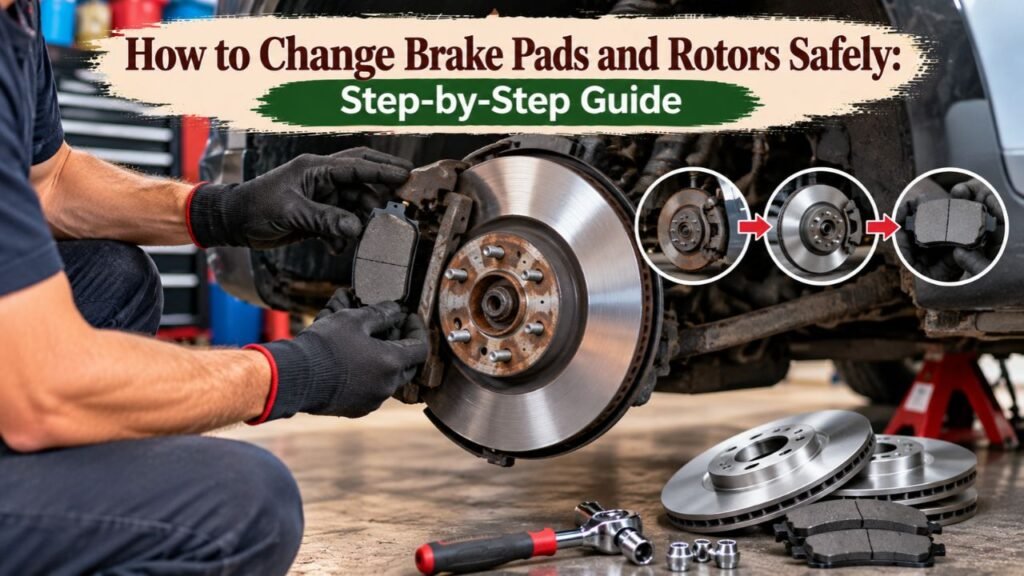
Gather everything before raising the vehicle.
Basic Tools
Common tools include:
- Floor jack
- Properly rated jack stands
- Wheel chocks
- Lug-nut socket
- Ratchet
- Breaker bar
- Torque wrench
- Caliper piston compressor
- Appropriate sockets and wrenches
- Caliper hanger or strong mechanic’s wire
- Wire brush
- Small cleaning brush
- Brake-cleaning supplies
- Safety glasses
- Mechanic’s gloves
Some vehicles may also require:
- Torx bits
- Hex bits
- Triple-square bits
- Impact driver for rotor retaining screws
- Rear caliper wind-back tool
- Electronic parking-brake service tool or scan tool
- Dial indicator for rotor runout
Replacement Parts and Supplies
You may need:
- New brake pads
- New brake rotors
- Pad hardware kit
- Brake-caliper lubricant
- Replacement guide-pin boots
- Rotor retaining screw
- Vehicle-approved brake fluid
Use brake parts designed for your exact year, make, model, engine, axle, and brake package.
A vehicle can sometimes have more than one brake size even within the same model year.
Key Takeaway: Have the correct pads, rotors, hardware, piston tool, torque wrench, lifting equipment, and vehicle-specific service specifications ready before disassembly begins.
Should You Replace Pads and Rotors Together?
You do not automatically need new rotors every time pads are replaced, but the rotors must be inspected and measured.
Replace the Rotor if It Is Too Thin
Brake rotors have a minimum allowable thickness.
The specification may be:
- Cast or stamped into the rotor
- Listed in service information
- Supplied by the brake manufacturer
Replace a rotor at or below its minimum thickness. Brembo also lists deep scoring, cracks, heat discoloration, and significant surface deformation among conditions that can call for replacement.
Replace Damaged Rotors
Replacement is generally appropriate for rotors with:
- Deep grooves
- Radial cracks
- Severe rust
- Heavy pitting
- Major heat spots
- Significant thickness variation
- Damage around the braking surface
Do not judge a rotor solely from its outer rust lip.
Measure it according to the vehicle manufacturer’s procedure.
Replace Brake Components by Axle
If you replace the left front rotor and pads, replace the corresponding right-front friction components as well.
The same principle applies to the rear axle.
Using matched friction parts across an axle gives both sides comparable operating characteristics.
Key Takeaway: Measure and inspect the rotors instead of replacing them solely by mileage. Pads and rotors should be serviced as matched axle pairs when replacement is needed.
How to Change Brake Pads and Rotors Step by Step
Brake layouts differ, so compare these steps with the procedure for your vehicle before starting.
1. Park on a Hard, Level Surface
Place the vehicle on solid, flat ground.
Put an automatic transmission in Park or a manual transmission in the appropriate gear according to its service instructions.
Chock the wheels that will remain on the ground.
If you are servicing the front brakes, the parking brake can normally be applied.
If you are servicing rear brakes, the parking brake usually needs to be released during brake removal. Chock the front wheels securely instead.
Vehicles with electronic parking brakes may need a specific service mode before rear-caliper work begins.
2. Check the Brake Fluid Level
Open the hood and locate the brake-fluid reservoir.
Note the fluid level before compressing the caliper pistons.
As the pistons move inward, fluid returns toward the master-cylinder reservoir. If someone previously topped the reservoir up while the pads were worn, it may overflow during piston retraction.
Keep dirt away from the reservoir opening.
Use only the brake-fluid type specified by the vehicle manufacturer.
3. Loosen the Wheel Fasteners
Before raising the vehicle, break the lug nuts or wheel bolts loose slightly.
Do not remove them yet.
This prevents the wheel from rotating while you apply force.
4. Raise and Support the Vehicle
Lift from an approved jacking point.
Place properly rated jack stands at the manufacturer’s specified support locations.
Lower the vehicle onto the stands and verify that it is stable before putting any part of your body beneath it.
Never work under a vehicle supported only by a hydraulic jack. Both NHTSA-hosted service documents and current brake installation guidance explicitly warn against this practice.
5. Remove the Wheel
Remove the wheel fasteners and take off the wheel.
Place it out of your work path.
You should now be able to see:
- Brake caliper
- Caliper bracket
- Rotor
- Flexible brake hose
- Pads
- Guide pins
Before taking anything apart, note how clips and springs are positioned.
Taking a photo can be useful.
6. Inspect the Brake Assembly
Look for:
- Brake-fluid leaks
- Torn caliper boots
- Seized guide pins
- Uneven pad wear
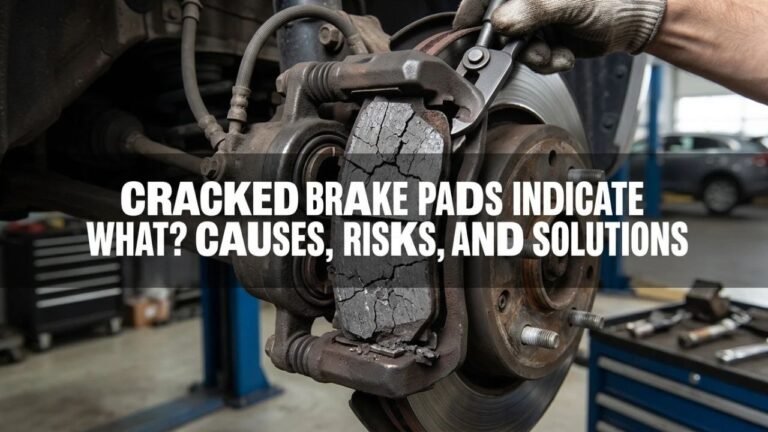
- Cracked friction material
- Rotor scoring
- Damaged brake hose
- Rust around the hub
- Loose wheel bearing
- Heat discoloration
Uneven pad wear may indicate more than normal pad wear.
For example, one pad wearing much faster than the other can point toward a sticking slide pin or caliper problem.
Replacing pads without correcting the underlying fault can ruin the new parts.
7. Remove the Brake Caliper
Remove the appropriate caliper guide-pin or mounting bolts.
Lift the caliper away from the rotor.
Do not disconnect the brake hose for a normal pad-and-rotor replacement.
Hang the caliper from a suspension or chassis point with a brake-caliper hanger.
Never let the caliper hang from its flexible brake hose because the weight can damage the hose.
8. Remove the Old Brake Pads
Slide the old pads from the bracket or caliper, depending on the design.
Remove old:
- Anti-rattle clips
- Pad abutment clips
- Springs
if new replacements are supplied.
Compare the inner and outer pads.
Differences in wear pattern can provide clues about caliper operation.
9. Remove the Caliper Bracket
If the rotor cannot pass over the caliper bracket, remove the bracket bolts.
These bolts can be tight and may require a breaker bar.
Some vehicles specify:
- Thread-locking compound
- New replacement bolts
- Specific tightening sequences
Do not automatically reuse thread-locking compound or bolts without checking service information.
10. Remove the Rotor Retaining Screw
Some rotors have one or more small screws holding the rotor to the hub.
Remove them before attempting to pull the rotor off.
These screws often corrode in place.
Use a properly fitting bit so you do not strip the head.
11. Remove the Old Rotor
Pull the rotor straight from the hub.
Rust can bond the rotor to the hub face.
If necessary, use the rotor’s threaded removal holes when provided or tap suitable areas with an appropriate mallet.
Do not strike wheel studs, ABS components, or fragile suspension parts.
12. Clean the Hub Face
This step has a major effect on how the new rotor runs.
Remove rust and scale from the hub surface where the rotor sits.
The rotor needs to lie flat.
Debris trapped between rotor and hub can create lateral runout, which can later contribute to pedal pulsation or uneven friction transfer. PowerStop specifically recommends cleaning the hub mating surface and checking rotor runout where appropriate.
Do not remove excess hub material while cleaning.
13. Prepare the New Rotor
Check the rotor manufacturer’s instructions before cleaning.
Traditional uncoated rotors may have protective oil that must be removed before installation.
Some fully coated rotors are supplied ready to install and may have different preparation instructions.
Never put grease or oil on the rotor braking surfaces.
14. Install the New Rotor
Place the rotor over the wheel studs or hub.
Install the retaining screw if the vehicle uses one and tighten it to the specified value.
A temporary lug nut can sometimes be installed finger-tight to keep the rotor seated during brake assembly.
Remove it before reinstalling the wheel if necessary.
15. Clean and Inspect the Caliper Bracket
Remove corrosion from the areas where the pad hardware rests.
Install new abutment clips if supplied.
The pads should move correctly in the bracket without binding.
Do not grind excessive material from the bracket simply to make a pad fit.
Heavy corrosion or damaged bracket surfaces may require component replacement.
16. Inspect and Lubricate the Guide Pins
Remove and inspect the guide pins if the brake design uses sliding pins.
They should move smoothly.
Look for:
- Corrosion
- Pitting
- Torn boots
- Dried lubricant
- Binding
Clean and lubricate them only with a brake lubricant compatible with the pin and rubber materials.
Do not use ordinary chassis grease unless the brake manufacturer specifically approves it.
17. Retract the Caliper Piston
New pads are thicker than worn pads, so the piston needs to move back into the caliper.
For a conventional front caliper, a piston compressor may press the piston inward.
Work slowly and watch the brake-fluid reservoir.
Do not force a piston that refuses to move.
Resistance can indicate:
- Corroded piston
- Seized caliper
- Rear screw-in mechanism
- Electronic parking brake
- Incorrect procedure
18. Handle Rear Caliper Pistons Correctly
Many rear disc brakes use the caliper as part of the parking-brake system.
The piston may need to rotate while moving inward.
A rear caliper wind-back tool engages the piston face and turns it while applying inward force.
Do not clamp a screw-in piston straight inward unless that specific caliper permits it.
For electronic parking brakes, activate the manufacturer’s brake-service or pad-replacement mode before forcing anything.
Service mode may be entered through:
- Vehicle menu
- Button sequence
- Diagnostic scan tool
The exact procedure is vehicle-specific.
19. Install the New Brake Pads
Install the new pads in the correct positions.
Some sets use different:
- Inner and outer pads
- Wear indicators
- Shims
- Clips
Place them exactly as specified.
Apply approved brake lubricant only to indicated metal contact points, such as selected pad ears or caliper contact areas.
Never contaminate the:
- Pad friction material
- Rotor faces
with grease.
20. Reinstall the Caliper Bracket
Position the bracket over the new rotor.
Install its bolts and tighten them with a torque wrench to the vehicle manufacturer’s specification.
Do not guess torque.
Caliper bracket bolts often carry significant braking loads.
21. Reinstall the Caliper
Place the caliper over the new pads.
Make sure:
- Hose is not twisted
- Boots are correctly seated
- Pads remain positioned
- Guide pins move correctly
Install and torque the caliper bolts to their specified values.
22. Repeat the Job on the Other Side
Complete the same process on the opposite wheel of the axle.
If you are unsure about a clip or pad orientation, compare it with the completed side or reference photos and service information.
Key Takeaway: Support the vehicle securely, protect the brake hose, clean the hub, reset the piston using the correct caliper procedure, install matching axle components, and torque every brake fastener to vehicle specifications.
How to Change Rear Brake Pads and Rotors
Rear disc brakes deserve separate attention because the parking brake may be integrated into the caliper or rotor.
Mechanical Parking-Brake Calipers
Some rear calipers use a lever and cable attached to the caliper.
The piston often screws back into the housing rather than simply pressing inward.
A wind-back tool may be required.
Piston orientation can also matter because certain pad designs have locating pins that must fit into piston slots.
Electronic Parking Brake
An electronic parking brake uses electric actuators instead of a conventional hand-operated cable.
Before replacing rear pads, many systems need to be placed into maintenance mode.
Forcing the piston with the actuator engaged can damage:
- Caliper motor
- Gear mechanism
- Piston assembly
Use the procedure for the exact vehicle.
Drum-in-Hat Parking Brake
Some rear rotors contain a small parking-brake drum inside the rotor hat.
If the rotor will not come off after the caliper and retaining screw are removed, the parking-brake shoes may still be contacting the drum surface.
The parking brake may need adjustment or retraction before rotor removal.
Key Takeaway: Rear brakes may use screw-in pistons, electronic actuators, or drum-in-hat parking brakes. Identify the system before attempting to retract the piston or remove the rotor.
Do You Need to Bleed Brakes After Changing Pads and Rotors?
Usually not if you only replace pads and rotors and never open the hydraulic system.
The brake lines remain sealed during a standard job.
Bleeding may be required if:
- Brake hose was disconnected
- Caliper was replaced
- Bleeder screw was opened
- Air entered the hydraulic system
- Brake-fluid service is due
- Vehicle service information requires it
A soft pedal after the pistons have been seated is not normal.
Do not drive until the cause is identified.
Some ABS systems require a scan-tool procedure if air enters the hydraulic control unit.
How to Reassemble and Check the Brakes
Brake work is not complete once the wheel is back on.
Pump the Brake Pedal Before Moving
The caliper pistons were pushed inward during installation.
Before the first pump, the pads may be some distance from the rotor.
With the engine off unless the service procedure specifies otherwise, press the brake pedal repeatedly until it becomes firm.
Brembo’s installation instructions also call for repeatedly depressing the pedal until the pads and rotor are correctly positioned and the pedal operates normally.
Never put the vehicle into gear before obtaining a firm pedal.
Check Brake Fluid
Recheck the reservoir level.
It should fall within the manufacturer’s specified range.
Do not overfill it.
Use only the specified brake fluid if additional fluid is needed.
Install the Wheels
Clean the wheel and hub mating surfaces where required.
Install the wheel.
Thread lug nuts by hand first.
Lower the vehicle enough to prevent the wheel from spinning and torque the fasteners in the correct sequence to the manufacturer’s value.
Do not rely on an impact wrench for final lug-nut torque.
Test the Brake Pedal Again
The pedal should feel firm and consistent.
Stop if you notice:
- Pedal sinking
- Very soft pedal
- Visible fluid leak
- Abnormal grinding
- Caliper movement
- Loose components
How to Bed New Brake Pads and Rotors
New pads and rotors need an initial bedding period so their surfaces mate correctly.
The exact procedure depends on the friction material.
Follow the Pad Manufacturer’s Procedure
Some performance pad manufacturers specify repeated moderate decelerations with cooling intervals.
Others call for gentler normal driving over the first few hundred miles.
Brembo currently advises gentle, brief braking and avoidance of sharp prolonged stops during the initial bedding period, while PowerStop publishes its own specific repeated-deceleration procedure for its brake kits.
This is why one universal bedding sequence should not be applied to every pad.
Avoid Sitting With Very Hot Brakes Clamped
After aggressive bedding stops, holding the vehicle stationary with very hot pads pressed against one rotor area can leave uneven friction deposits.
Follow the brake manufacturer’s cooling instructions.
Expect Braking to Feel Different Initially
New friction surfaces can feel slightly different during their first stops.
Keep extra following distance during the initial bedding period.
If braking is weak, the pedal is abnormal, or the vehicle pulls strongly, stop and inspect the system rather than assuming bedding will fix it.
Key Takeaway: Pump the pedal before moving, verify fluid level and torque, then use the bedding process supplied with your pads or vehicle rather than applying a generic sequence.
Should You Use Brake Cleaner During the Job?
Brake cleaning requires more care than simply spraying every component.
Use a cleaner approved for the specific brake parts and follow its label.
Avoid spraying cleaners onto:
- Rubber components not approved for contact
- Painted surfaces
- Hot parts
Allow solvent to evaporate before operating the brakes.
Do not use compressed air to blow brake dust around the workspace.
Older friction materials can contain hazardous fibers, and brake dust in general should be treated as a respiratory contaminant. NHTSA-hosted brake service information warns against compressed-air cleaning and dry brushing where potentially hazardous brake-lining dust may be present.
Use controlled cleaning methods and appropriate protective equipment.
Common Mistakes When Changing Brake Pads and Rotors
Small assembly mistakes can create major brake problems.
Letting the Caliper Hang From the Hose
Support the caliper with a hanger.
The flexible hose was not designed to support the caliper’s weight.
Installing Pads Backward
The friction surface must face the rotor.
Verify inner and outer pad positions before closing the caliper.
Getting Grease on Friction Surfaces
Keep lubricant away from:
- Rotor faces
- Pad friction material
Contaminated friction parts may need replacement.
Forgetting to Clean the Hub
Rust trapped behind a new rotor can prevent it from sitting squarely.
That can contribute to runout and pedal pulsation.
Forcing a Rear Piston
Identify its design first.
A screw-in or electronic parking-brake piston can be damaged by forcing it straight inward.
Forgetting to Pump the Brake Pedal
This can leave the pedal traveling close to the floor the first time you try to stop.
Pump until firm before the vehicle moves.
Guessing Torque Values
Do not use generic torque numbers for:
- Caliper bolts
- Bracket bolts
- Rotor screws
- Lug nuts
Use the specifications for your exact vehicle.
Reusing Damaged Hardware
Replace badly corroded or distorted:
- Pad clips
- Springs
- Slide boots
- Retaining hardware
if the replacement procedure calls for it.
Working on Only One Side of an Axle
Pads and friction components should normally be serviced in axle pairs.
Do both fronts or both rears as a matched job.
Key Takeaway: Support the caliper, keep friction surfaces clean, use the correct piston-reset method, clean the hub, replace damaged hardware, and never guess fastener torque.
How Long Does It Take to Change Brake Pads and Rotors?
Time depends heavily on experience and corrosion.
An experienced technician with the proper equipment may complete an axle relatively quickly.
A first-time DIY job can take several hours, especially if you encounter:
- Rusted rotor
- Seized guide pin
- Stripped retaining screw
- Electronic parking brake
- Corroded bracket
- Stuck piston
- Difficult wheel bolts
Do not use a target time as a reason to rush brake work.
If a component does not come apart normally, identify why before applying more force.
When Should You Let a Mechanic Do the Job?
Professional service is the better route if you encounter a brake condition beyond normal pad-and-rotor replacement.
Examples include:
- Brake-fluid leak
- Seized piston
- Damaged brake hose
- Broken bleeder screw
- Electronic parking brake fault
- ABS warning related to the repair
- Severe rotor or hub runout
- Damaged wheel bearing
- Pedal remains soft
- You do not have safe lifting equipment
- You cannot obtain correct torque specifications
Brake operation directly affects the ability to stop the vehicle.
Do not drive a car with a brake system you are not confident has been assembled and tested correctly.
Conclusion
For how to change brake pads and rotors, begin with a stable lifting setup, correct replacement parts, and vehicle-specific service information. Remove the wheel, support the caliper without stressing its hose, remove the old pads and rotor, clean the hub, retract the piston correctly, and install the new friction parts.
Pay special attention to rear brakes. Screw-in caliper pistons, electronic parking brakes, and drum-in-hat parking brakes require procedures that differ from a simple front caliper.
Torque all brake and wheel fasteners to their specified values, pump the pedal until firm, verify brake-fluid level, and check the entire assembly before the car moves.
Finish by bedding the pads and rotors according to the brake manufacturer’s instructions. If the pedal remains soft, fluid leaks, the brakes bind, or the vehicle pulls severely, stop driving and correct the problem before putting the vehicle back into normal service.
FAQs About Changing Brake Pads and Rotors
Can I Change Brake Pads and Rotors Myself?
Yes, an experienced DIY mechanic with proper lifting equipment, a torque wrench, and vehicle-specific service information can replace conventional pads and rotors.
Rear electronic parking brakes and some performance brake systems require additional tools or procedures.
Do I Have to Replace Rotors When I Replace Brake Pads?
Not every time.
The rotor can sometimes remain in service if its thickness, runout, surface condition, and manufacturer specifications are acceptable.
Replace it if it is below minimum thickness or has damage that makes reuse unsuitable.
Should Brake Pads and Rotors Be Replaced on Both Sides?
Yes, friction components are normally serviced in axle pairs.
Replace both front sides together or both rear sides together rather than replacing only one wheel’s pads and rotor.
Do I Need a Special Tool to Compress the Brake Caliper?
Many front calipers use a conventional piston compressor.
Some rear calipers require a wind-back tool because the piston rotates while retracting.
Electronic parking-brake systems may also need service mode or a scan tool.
Can I Push a Rear Brake Caliper Piston In With a C-Clamp?
Not unless the caliper design allows straight compression.
Many rear pistons screw inward, and electronic parking-brake calipers can require a service procedure. Forcing the wrong design can damage the mechanism.
Do I Need to Bleed the Brakes After Replacing Pads and Rotors?
Not normally if the hydraulic system remained closed.
Bleeding becomes necessary if air entered the system, a hose or caliper was disconnected, a bleeder was opened, or the service procedure calls for it.
Why Is My Brake Pedal Soft After Changing Pads?
The pistons may not yet be seated against the pads.
Pump the pedal several times before moving the vehicle.
If it remains soft, stop and inspect for hydraulic leaks, air in the system, incorrect assembly, or another brake fault.
Should I Open the Brake Fluid Reservoir When Compressing the Piston?
Check the vehicle service procedure.
At minimum, monitor the reservoir closely because the fluid level rises as the piston retracts. Prevent overflow and keep contamination out of the hydraulic system.
Can I Change Pads Without Changing Rotors?
Yes, if the rotors are still within specification and suitable for reuse.
Measure thickness and inspect the braking surface before deciding.
Why Won’t My New Brake Pads Fit Over the Rotor?
The caliper piston may not be fully retracted, the pad hardware may be installed incorrectly, corrosion may be preventing pad movement, or you may have the wrong parts.
Do not force the caliper over the pads.
Should I Grease New Brake Pads?
Use only an approved brake lubricant at the locations specified by the pad or vehicle manufacturer.
Never put grease on the rotor surface or friction side of the pads.
Why Are My New Brakes Grinding?
Possible causes include incorrect pad installation, contaminated surfaces, foreign material, missing hardware, backing plates touching the rotor, or another mechanical problem.
Stop and inspect the brakes rather than assuming severe grinding is normal bedding noise.